
Quick Overview
- Answering every question across your website can remove the one thing that gets a visitor to click further in: not knowing yet.
- The curiosity gap works differently to open loops or progressive disclosure, and mixing the three up usually leads to the wrong fix.
- A handful of small structural choices, not clever headlines, are what tend to create the pull.
- Push it too far and curiosity tips into frustration, which can cost you the enquiry.
Good film trailers hold back how the story ends. They show a decision half made, a look exchanged, a door about to open, just enough to make the two hours that follow feel necessary. That’s not caginess. It’s a gap being shaped, deliberately, between what you know and what you want to know.
A website creates the same kind of pull, minus the two-hour runtime. What’s withheld doesn’t need to be a plot twist, just something the visitor wants to know, with the answer sitting one click, one scroll, or one form submission away. Give it up before that click happens, and the pull goes with it.
Why Over-Explaining Can Undersell You
Website copy tends to lean towards reassurance: full pricing, a complete process breakdown, an FAQ that pre-empts every objection. That instinct makes sense: loss aversion means uncertainty often stalls enquiries before they even start, so it follows that removing all of it should remove the stall too. In practice it can do the opposite, because curiosity is generated by the gap between what someone knows and what they want to know. Close that gap too early and there’s often nothing left pulling the visitor towards the next step.
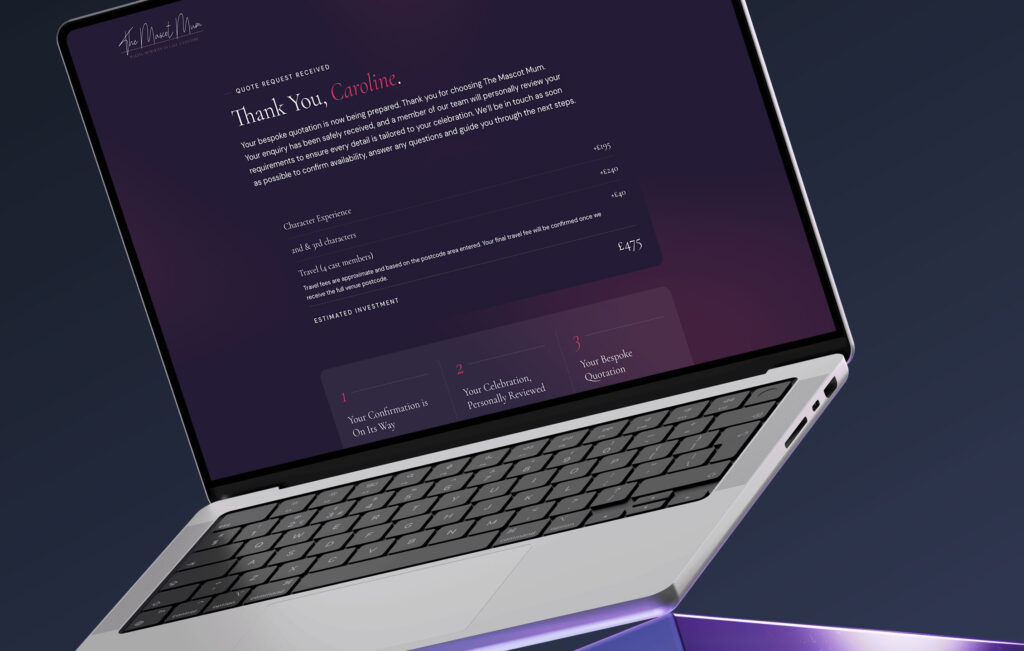
Take a quote generator that shows the estimated price before a visitor has entered their contact details. It’s helpful, but it also removes the only reason left to submit the form: the visitor already has what they came for. Move the price reveal to after the details are submitted instead, and it becomes the reason to hand them over.
This gets confused with two related principles. The Zeigarnik Effect covers incomplete actions, a form half filled in, a checklist a visitor wants to finish. Progressive disclosure is about pacing detail so it doesn’t overwhelm. A curiosity gap is narrower than both: it’s about withholding a specific answer the visitor wants, not an unfinished task or too much information. Confuse the three and you fix the wrong thing. The quote generator above won’t improve by adding a “save your progress” prompt or breaking the form into steps. Neither is the actual problem. The actual problem is that it’s already given everything away.
What Opens a Curiosity Gap (And What Just Confuses People)
Curiosity has a specific trigger, not just “leaving something out”. The psychologist George Loewenstein’s information gap theory holds that curiosity appears when there’s a gap between what someone knows and what they want to know, and follow-up research has generally found it peaks at moderate uncertainty rather than at either extreme. Too little context and there’s no gap to notice. A nav link labelled just “Insights” doesn’t imply anything’s being withheld, so there’s little reason to be curious about it. Too much context and the gap’s already closed before anyone clicks. The pull sits in between: enough for a visitor to sense roughly what’s coming without being able to fill in the rest. “The one line most business websites get wrong” works because a visitor can half-guess the shape of the answer. “Common website mistakes” gives them almost nothing to guess at, and a fully spelled-out version would just answer the question in the headline itself.
That middle ground also moves depending on what’s around it. A 2024 study on headline concreteness, published in Scientific Reports, found a vague headline performs better surrounded by detailed ones, and a concrete headline performs better surrounded by vague ones, because the pull comes from the contrast, not from any fixed amount of detail. There’s no single “right” amount to reveal on a page, only what’s revealed relative to everything else on it.
The other requirement is that the gap has to feel like it’s there for a reason, not just present. A downloadable guide called “the pricing guide” behind a bare “enter your email to access” gives no sense of why the email’s needed, so it reads as a toll rather than a fair trade. One called “what to ask before you sign with anyone” behind “enter your email, because the guide’s built around three quick questions about your project first” keeps the same gap in place but explains it, and that’s usually what keeps curiosity from curdling into suspicion. Neither version tells you less, the second just tells you why.
Six Structural Ways to Build a Curiosity Gap Into Your Website
These are structural decisions, usually built into the web design itself rather than patched into the copy afterwards. Whether a particular gap pulls a visitor in or just adds friction isn’t something you can reliably guess from the outside. It shows up in how visitors actually behave once it’s live: session recordings, heatmaps, or a straightforward A/B test between the open and closed version of a page. That’s what conversion rate optimisation is for: watching what visitors actually do with a gap rather than assuming it.
- Before-and-after sliders that default to “before” – the transformation only appears once a visitor drags or taps, which asks for a more active kind of curiosity than reading a static claim.
- A surprise withheld until an action is completed – a free gift with every ecommerce order, confirmed only at checkout rather than named upfront. The mystery becomes part of what pulls the purchase through, not just the gift itself.
- Numbered sequences that imply more is coming – “case study 2 of 6”, or a step counter on a quote form, gives a visitor a reason to keep going rather than stop.
- Portfolio thumbnails that show only a fragment of the full image – the full project photo or result is only visible once clicked, rather than laid out in full on the grid.
- A calculator or quiz with a partial result on screen – enough to be useful on its own, with the full breakdown a click away.
- A named next step instead of “read more” – naming what’s coming, e.g. “next: how they cut hosting costs by half”, tends to pull a visitor into the next page more reliably than a generic link.
Accrington Town Square, a town centre regeneration project in Accrington, uses a version of the sequencing idea above. Its homepage opens with the line “the transformation of Accrington Town Square starts now”, naming what’s happening without explaining it yet and positioning the site as the place to follow what comes next.
Go Deeper
Conversion-Focused Web Design: A Framework for Turning Traffic into Enquiries
Where This Backfires
This only holds up if the gap is honest. A page that promises “3 things every business needs to know” and delivers three generic points anyone could have guessed usually costs more trust than it earns, because the visitor closed the gap for nothing.
Pricing is where this tends to backfire most. A site that hides every number behind “get in touch”, with no explanation and no ballpark, often reads as something being hidden rather than teased, particularly for anyone comparing a few options before they enquire. The fix isn’t always full transparency either: a rough range, such as “most projects run £3,000 to £8,000, depending on scope”, often does more to keep someone reading than either extreme.
The curiosity gap isn’t a universal fix, and it tends to work best alongside clarity elsewhere on the site, not instead of it. Vagueness spread across an entire site rarely passes as intrigue. It usually just reads as doubt.
Want a Site That Keeps Visitors Reading?
We can build the structure that pulls people through your site, not just past it.